
Analytics for Authors blogs have been edited to reflect the 01/16/2013 Google Analytics update. — Analytics for Authors introduced you to the Audience Overview dashboard in our last post – but before we dive into more sections of Google Analytics and learn how to compare data sets, what’s some helpful information we can gain from the Audience section? Your Visitors’ Browser Data on Google Analytics Take a gander at the Browser & OS tab, located under the Technology dropdown menu: More than 50% of this site’s visitors are using the desktop version of Safari, Chrome, and Firefox, while the other portion is split between Internet Explorer and mobile browsers. By clicking on the name of the browser, you can see what version of the browser the visitor used to access your site. Let’s take a deeper look at the Internet Explorer data: Although the majority of the visitors using Internet Explorer are using the most up-to-date iteration of IE, close to a quarter are using an outdated version. Why your Visitors’ Browser and Browser Version Matter You have no control over what browser your visitor will use to view your site. You have no control over whether your visitors update their browsers or not. You only have control over how accessible your site is. If the majority of your visitors are using the latest version of their browser, you don’t need to fret about using new plugins through WordPress or having incompatible formatting. But if a large portion of your…


Analytics for Authors blogs have been edited to reflect the 01/16/2013 Google Analytics update. — Google Analytics is a free service powered by Google that allows you to see “how visitors use your site, how they arrived on your site, and how you can keep them coming back.” Once you sign up for GA and install a short snippet of code into your website, you… [Read More]
Filed Under: google analytics for authors, google analytics tutorial
1 Comment


You may have been noticing a particular status update making the rounds on Facebook. It’s a disclaimer that asserts the poster’s copyright and privacy rights, and it makes it seem like it’s as easy as copy/paste to protect yourself from anything you failed to catch in the Terms and Conditions you agreed to upon signing up for Facebook. Of course, it’s total malarky. Before you can… [Read More]
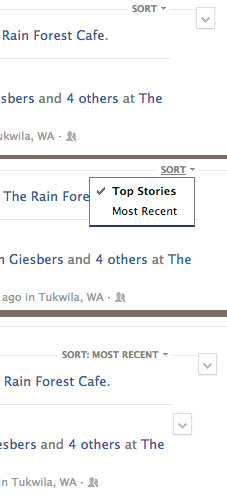
It was only up for a few hours – a programmer stumbled upon a link to access the raw, unfiltered chronological newsfeed that so many users want. But as soon as the internet had discovered a glimpse of the pure stream of friend posts and status updates, it was gone. You may have noticed that your news feed doesn’t give your all your friends’ posts. In fact,… [Read More]

When you first sign in to Facebook, your newsfeed automatically defaults to Top Stories – but how do these items get ranked? What makes your aunt’s status update rank higher than your soccer coach’s new car photos? And more importantly, how can you find yourself consistently ranked in the top stories? First off, take a deep breath, because you can’t control everything – if one… [Read More]
You’ve been told that as an author you can’t afford to ignore Facebook with its 3 million followers. So you created a Page and worked hard to gain those “Likes” with compelling content. You stopped complaining that you had to do double duty with both a personal profile and an Author Page to maintain. You even accepted the changes with the new timeline without much… [Read More]