
Blame Aristotle. Blame classical Greek culture. Blame all of Western Civilization. But every story must have a beginning, middle, and end. And more than that. Without narrative structure, non-fiction writing is just a boring recitation of one thing after another. You may think because it is based on your experiences, historical events, scientific experimentation, or natural observations that you don’t need a story to write a book. Think again. Fictio, from the Latin, is the heart of writing: to inscribe, shape and mold an inventive or interpretive explanation. To write non-fiction is to create a coherent tale. For a writer, there are two parts to every telling: story and plot. They are not the same thing. Plot is the structure given to the story. For example, girl meets boy. Familiar story. The plot is that girl gets a new hairdo, leaves salon, drives through traffic looking in rear-view mirror and rear-ends boy in a baby blue BMW. Love ensues. Archetypal stories, myths, and fairy tales provide a cultural pool from which to remix story structure variations, techniques, and stylistic flourishes. Shakespeare, the Bible, Greek mythology and stories in popular culture from The Wizard of Oz to the Minions. Writers need to find their story first and then figure out how best to tell it. Your job is to let the reader know what they need to know when they need to know it. Not an easy task. Some call it writing craft. Following Aristotle’s dramatic arc provides a template. Set…


Sitting down to start one’s memoir is a daunting task. Remember memoir is a slice of life, not your entire biography. But where to begin? It’s not always obvious where to start. So finding a way to slip into your story might be easier if you find a side entrance. These memoir prompts are intended to stir up your memories and get you to set… [Read More]
Filed Under: Characters, memories, narrative arc, Prompts, Scene
No Comments


What does a book development editor do? Professionally assess your manuscript or book concept for its publishing potential Offer critical feedback and editorial guidance Serve as writing coach as the author completes a manuscript Collaborate in the development of a winning book proposal Position and package the book concept to specific publishers Research what publishers are looking for in the current market Conduct market research… [Read More]
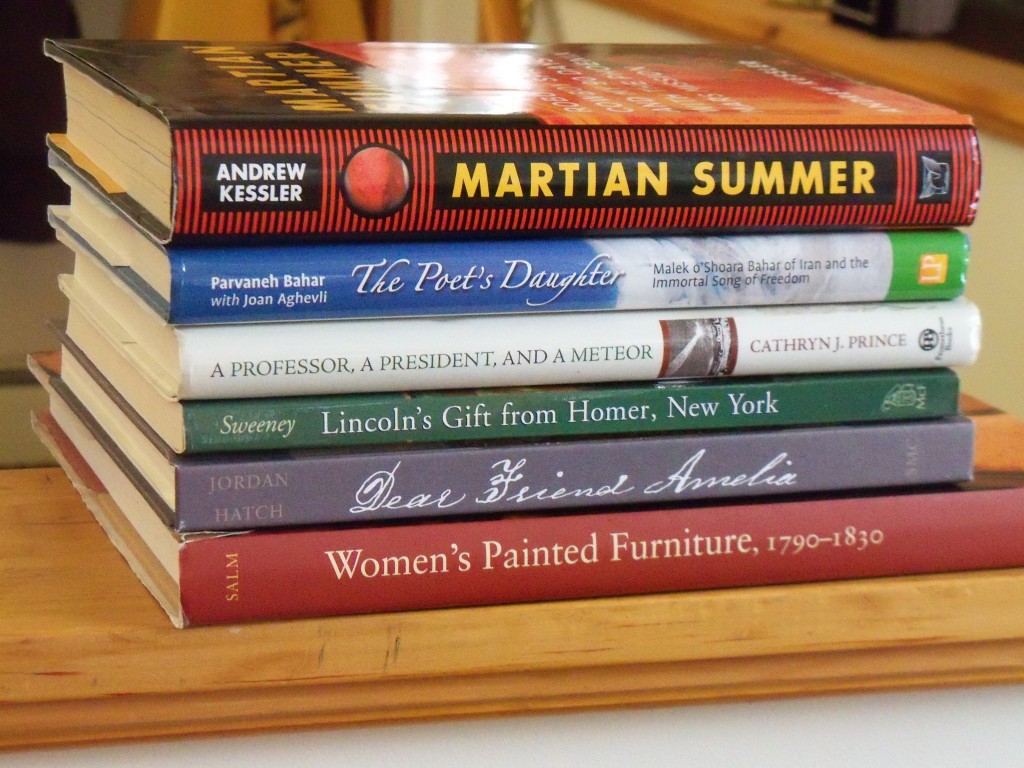
It is both an honor and a privilege to be the featured Business of the Month at Alternatives Federal Credit Union. Alternatives (AFCU) is a regional Community Development Financial Institution. This isn’t your ordinary credit union. Member-owned, locally controlled and self-supporting, AFCU works to meet the financial needs of the members of the community. They believe that by controlling the flow of funds within a small… [Read More]
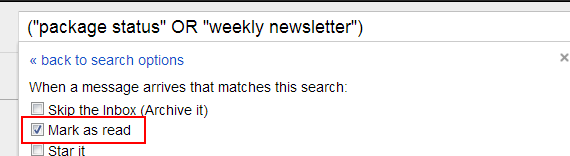
Have Unimportant Messages Enter Your Inbox Already Read There are some emails that we want to be alerted to, but don’t need associated with the urgency of an unread message. To have messages like package tracking updates or weekly newsletters enter your inbox unbolded, create a ‘Mark as Read’ filter with relevant keywords or emails. Automatically Attach a Label to Incoming Messages If you’ve already… [Read More]
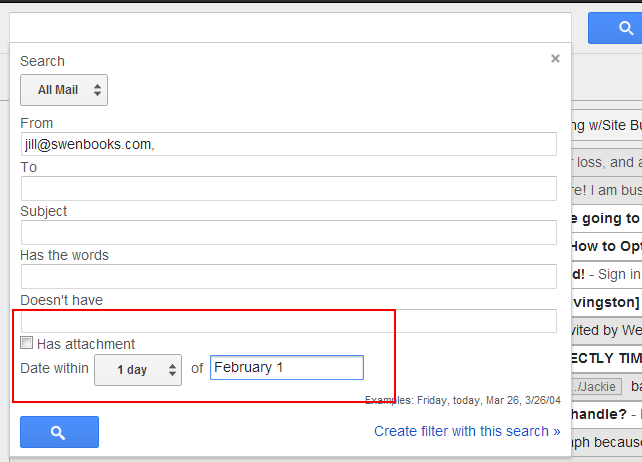
Although the most common searches you’ll do in Gmail will be for messages from a single individual, Gmail offers incredible tools for searching. Here are some advanced search tips to keep in mind. Search Gmail by a Date Range Click on the downward arrow on the far right of your Gmail search box to open search options. Enter a date range and any additional search… [Read More]