


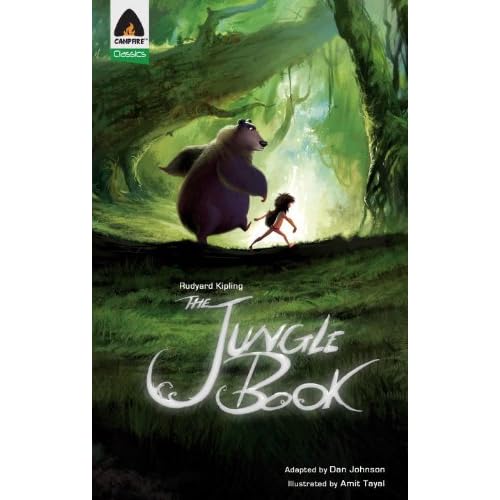
For a comic book, its visual design is superb. Campfire’s latest adaptation, Rudyard Kipling’s classic The Jungle Book, is absolutely gorgeous: it’s not in the same playing field as popular superhero comics by DC and Marvel, that’s for sure. (Feel free to disagree, but neither Spiderman nor Green Lantern has ever been drawn so crisply or in colors so rich.) Children will love the drawings… [Read More]


Too often I hear writers say they don’t see the point of social media, while others say they will use it after they’ve written their book. It’s a common refrain: writers just want to write. Many writers shy away from social media because they think it is nothing more than hype and sales. These are the same people who use Google search engines, rely on online… [Read More]
Literary agents agree. Editors at Big Six publishing houses agree. Bestselling authors agree. If you want to publish a book, you need to use social media. But what is social media? How can YOU use it to sell your book-in-progress? Why have a blog, Facebook, Twitter, and LinkedIn? How will you write your book if you are always online? And who really cares about social… [Read More]
In WordPress, the Blogroll is a widget that appears in a side column on your blog page. How does a blogroll work? It provides a list of links to blogs (or other websites) you think your readers might be interested in. A blogroll is your personal endorsement of websites – the places you recommend someone visit for related content. To add a blogroll to your… [Read More]

Leigh Stein, author of The Fallback Plan (Melville, 2012), will unashamedly tell you that she’s lived with her parents four times. Her newly-released novel, a coming-of-age about post-college angst, is spliced with details from her own experience and speaks volumes to the plight of so many twenty-something’s undergoing a quarter-life crisis. Stein’s protagonist, Esther, is a recent Northwestern graduate suffering from the post-grad blues. While… [Read More]