
Whether you are preparing to launch your new book, still writing the manuscript, or marketing your book a year after its release, you can’t ignore the importance of your author platform for your success as an author. Today you need to demonstrate to a publisher you have built a big enough platform to sell a sufficient number of books before they’ll offer you a contract. And if you pursue self-publishing, it is even more important. How else will readers find your book? An author platform isn’t measured by the number of followers on Facebook or Twitter or Instagram, but on the size and scope of readers who know you already and are interested in what you have to say. Taking stock of your efforts to attract readers will help you determine where to put your efforts into growing your customer base. Building your author platform requires a consistent, focused effort to make incremental improvements in extending your reach through expanding your social networks. Whether you use an Excel or Google spreadsheet, or a whiteboard on your wall, create a grid for assessing your current author platform. Channels: Make a list of all the ways you communicate with (potential) readers and places where you can be reached by someone who is trying to connect with you Mailing address Email address Agent’s contact information Publisher’s contact information Publicist’s contact information Website Blog Newsletter Amazon profile Goodreads profile LinkedIn profile Facebook Page and/or personal profile Twitter profile Instagram profile Pinterest profile Previous publications…


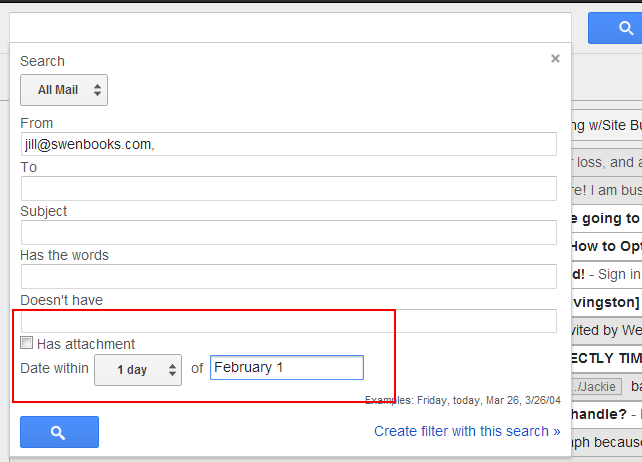
Although the most common searches you’ll do in Gmail will be for messages from a single individual, Gmail offers incredible tools for searching. Here are some advanced search tips to keep in mind. Search Gmail by a Date Range Click on the downward arrow on the far right of your Gmail search box to open search options. Enter a date range and any additional search… [Read More]
Filed Under: email, Gmail
No Comments


There’s no terror quite like realizing you can’t find an important email. Whether you filed it wrong or accidentally deleted it, you’re in for a fun scramble. Gmail makes the likelihood of this nightmare almost an impossibility with Archive, an action that effectively files your email out of your inbox while keeping it incredibly close at hand. What does Archive do in Gmail? Archiving a… [Read More]
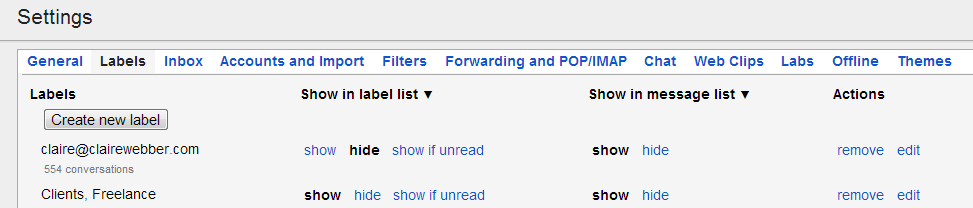
Have your ever tried using Labels in Gmail? Labels in Gmail function sort of like tags or folders – they group your messages together with the added benefit of being able to place multiple labels on the same messages. You have some automatically created labels when you sign up for Gmail, but labels become infinitely more useful when you customize them to your emailing habits…. [Read More]

Let’s say you’ve been on a wonderful internet-free vacation for the last month. You’ve come home, unpacked, and you’ve logged into your email. I want you to imagine what your inbox looks like. Is it crammed with over 200 messages? Are your important emails rubbing shoulders with expired coupons? Is it enough to make you consider moving to an off-the-grid hermitage? It doesn’t need to… [Read More]

If you are a voracious reader — even if you will never give up the pleasure of paper — you may be considering an eReader device. But wait! You don’t need to commit just yet. You can try before you buy. “After 5 years, eBooks is a multi-billion dollar category for us and growing fast — up approximately 70% last year,” said Amazon founder Jeff Bezos. “In… [Read More]